+91 9786739966
 amazefox09@gmail.com
+91 9786739966
amazefox09@gmail.com
amazefox09@gmail.com
+91 9786739966
amazefox09@gmail.com

In today’s digital world, users expect websites to be easy to use. No one wants to struggle to
find what they’re looking for. That's why creating intuitive navigation is a key element of
effective web design. When done right, it helps users find information quickly, keeps them on
your site longer, and improves overall satisfaction.
In this blog, we’ll break down what intuitive navigation means, why it matters, and how you
can create it on your own website.
Intuitive navigation means a website menu or structure is so easy to understand that users
can move through the site naturally, without needing instructions. It feels familiar and
simple. Users don’t need to think twice about where to go next.
Think of a shopping mall: signs and maps help visitors know where the food court or
restrooms are. A well-designed website should offer that same clarity.
Good navigation is key to a positive user experience (UX). Here are a few reasons why:
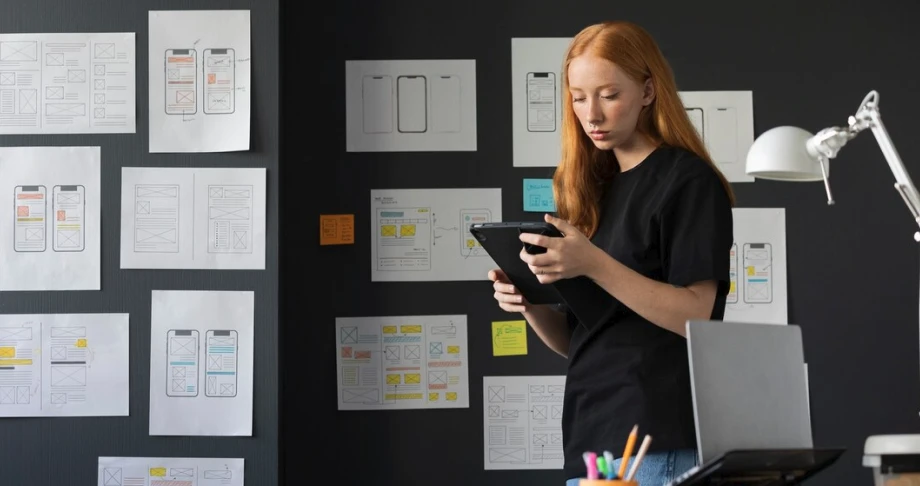
Begin by planning your site structure before you start designing. Organize your content into clear categories. Group similar pages together under main headings.
Good navigation is key to a positive user experience (UX). Here are a few reasons why:
This helps users easily understand where to navigate next.
Good navigation is key to a positive user experience (UX). Here are a few reasons why:
Once you’ve designed your menu, keep it the same across all pages. If the navigation bar
appears at the top of your homepage, it should be in the same place on every other page.
Consistency makes users feel comfortable. They don’t have to re-learn how your site works
every time they click a new link.
If your menu is hard to find, users might miss it entirely. Keep it visible and clearly marked.
Also, use recognizable icons. For example, a magnifying glass for search or a hamburger icon for a mobile menu. These small cues make the experience feel familiar.
Breadcrumbs are small text links that show users where they are on your site. You’ve probably seen them like this:
They’re especially useful for large sites with lots of content. Breadcrumbs help users move backward easily without using the browser back button.
An increasing number of people now use mobile devices to browse the web.That means your navigation needs to work just as well on small screens.
Always test your site’s navigation on different devices before launch.
Even with great menus, some users prefer to search directly. Including a search bar in your header or main navigation helps them quickly find what they need.
If you run a blog or e-commerce site, a search feature is a must.
Let users know where they are. Use visual cues like highlighting the active menu item,
changing its background color, or underlining it.
This small feature gives users confidence and helps them navigate more easily.
Some navigation mistakes confuse users or block their progress. Avoid these common issues:
Guide users through your content by linking related pages. For example, in a blog post
about SEO, link to your SEO service page. This helps users discover more content and
improves site flow.
Internal links are great for both user experience and search engine optimization.
Even if your navigation seems flawless, it's important to test it with real users.
Feedback helps you identify problems and improve the navigation experience over time.
We hope these questions and answers guide you in choosing the right web design partner for your business’s digital transformation. If you have any more questions, feel free to reach out!

Intuitive navigation means users can move through a website easily without confusion. The layout and labels feel familiar, clear, and predictable, helping users find what they need quickly.
Creating intuitive navigation isn’t about fancy effects or complex menus. It’s about making
things simple, clear, and easy for users. When people know where they are and how to get
where they want, they’re more likely to stay, engage, and convert.
Whether you’re designing a new website or improving an existing one, focus on clarity,
consistency, and usability. Your users will thank you with their time and trust.

Email us
support@amazefox.com

+91 9786739966

Teams
nikilfox / amazefox


Copyright 2025 © www.amazefox.com. All Rights Reserved.